Introduction
Model Context Protocol (MCP) is becoming part of how we integrate AI into everyday software engineering.
In this article, I’ll share how we use MCP integrations at Dedalus to connect an AI assistant with our engineering tools, from understanding a ticket to testing a change and verifying the running application.
Rather than listing every available MCP server, I’ll focus on a practical workflow, the value these integrations can bring, and the precautions needed to use them responsibly.
MCP in a Nutshell
MCP is an open protocol that standardizes how applications provide tools and data to an AI assistant. An MCP server exposes capabilities such as tools, resources, and prompts, and the client discovers and uses them as needed:
- Tools — operations the assistant can execute, such as running a read-only Oracle query or opening a GitHub pull request.
- Resources — contextual data the assistant can read, such as an OpenAPI specification or a project document.
- Prompts — reusable prompt templates, such as a standard code-review workflow.
The exact set depends on what the server implements and what the client supports. Instead of copying information from a terminal, a database, or a ticketing system into a chat by hand, the assistant can use the right capability at the right moment.
The separation is important:
- The AI model interprets the task and selects a tool call from the capabilities made available to it.
- The MCP host (through its MCP clients) manages connections, determines which capabilities are available, and applies the application’s interaction and permission policies.
- The MCP server exposes specific capabilities and handles requests to the connected system.
- The underlying system remains the authoritative source for its own data and state.
For example, an Oracle MCP integration lets the assistant query Oracle, and a Playwright MCP integration lets it open a browser and navigate through an application. The protocol carries these operations; the behaviour comes from each server’s implementation. Many systems can be integrated through MCP by building or configuring a server that exposes selected operations and data through a standardized interface, and existing APIs and command-line tools often serve as the foundation for that integration. The assistant composes these focused capabilities without requiring a custom integration for every conversation.
The basic flow looks like this:
- The host receives a request, and the model identifies the context it needs.
- The model selects an MCP tool call with structured arguments, such as an issue key, repository, or environment name.
- The MCP server performs the operation using its own connection and permissions.
- The result comes back to the client, which returns it to the model to continue the task or ask for a decision.
MCP in a software engineer’s daily work
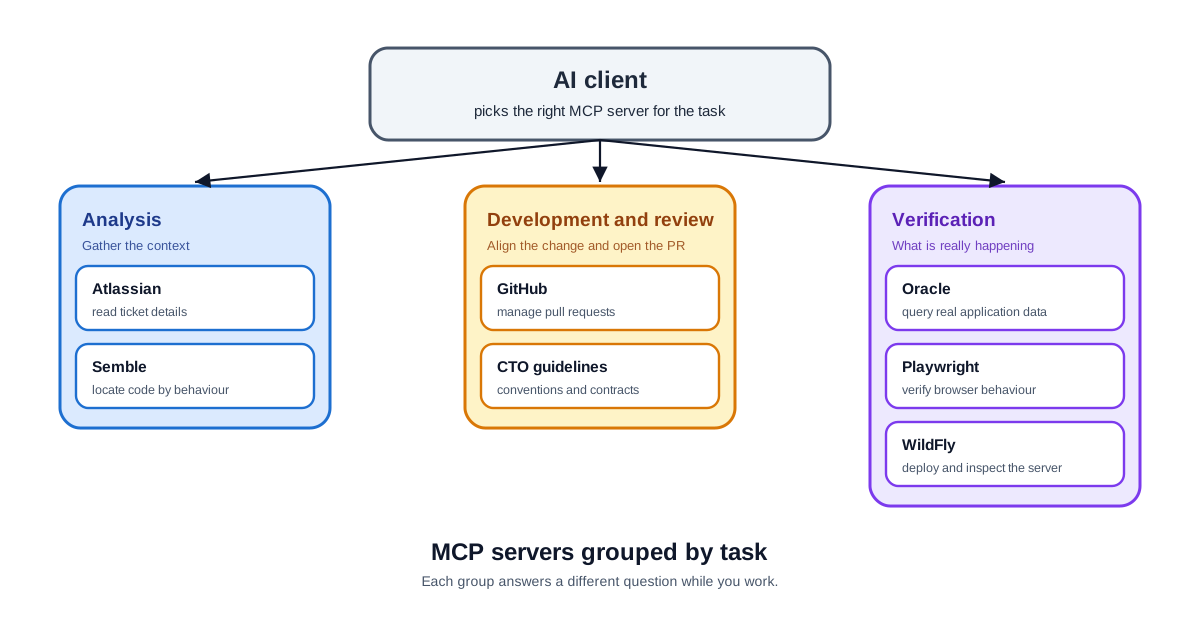
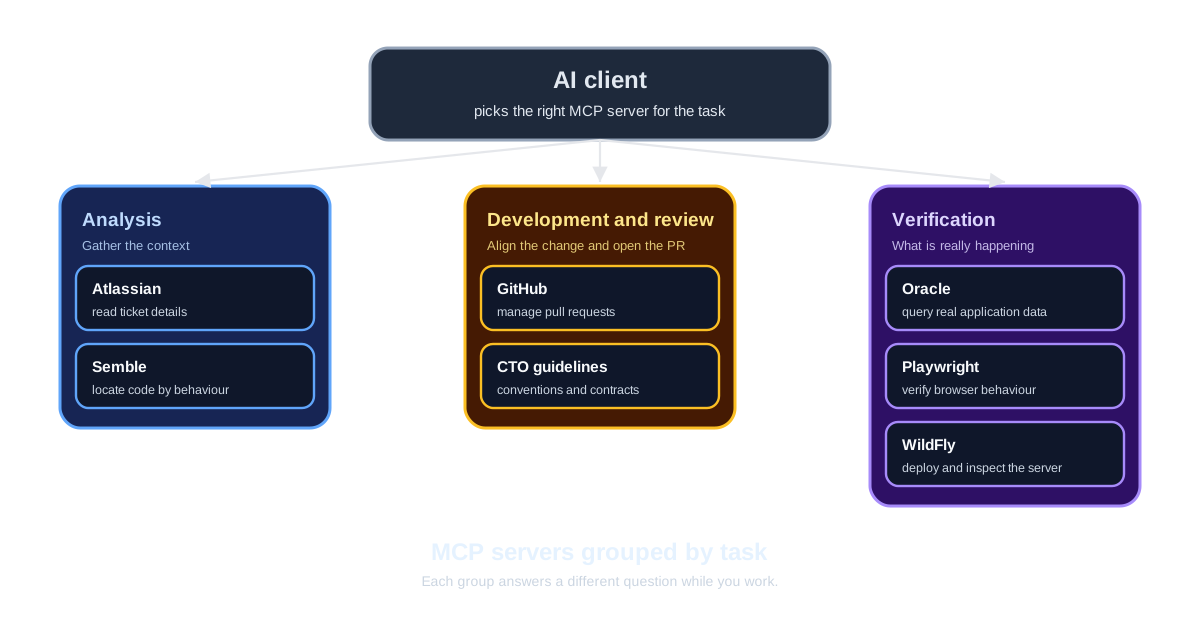
The following examples come from my daily engineering work at Dedalus and are not a complete list. These integrations expose specific engineering capabilities through MCP, and their available operations depend on each server’s implementation and configuration. I group them into three phases by their role in the engineering process.
Analysis
Analysis MCPs gather the context needed before touching the code.
- Atlassian — reads the ticket to understand the work. For a bug it brings the reproduction steps; for a story or a feature it brings the acceptance criteria.
- Semble — searches the code by behaviour to understand it, for example to find the class named in a stack trace when an error occurs.
Development and review
Development and review MCPs keep the change aligned with the team’s practices and move it toward a pull request.
- GitHub — manages the pull request: opening it, reading review feedback, and following checks through to merge.
- CTO guidelines — centralizes the team’s good practices (OpenAPI documentation, backend and frontend conventions) and exposes reusable prompts to develop, write unit tests, and document code.
Verification
Verification MCPs make the data, the browser, and the runtime observable.
- Oracle — builds a dataset to compare the user-facing behaviour with the real records behind it.
- Playwright — checks the UI changes in the browser: navigation, the accessibility tree, forms, controls, and network requests.
- WildFly — updates the server: deploys the fix or the new feature and confirms what is actually running.
Workflow: how we use MCP
Example: fixing a bug
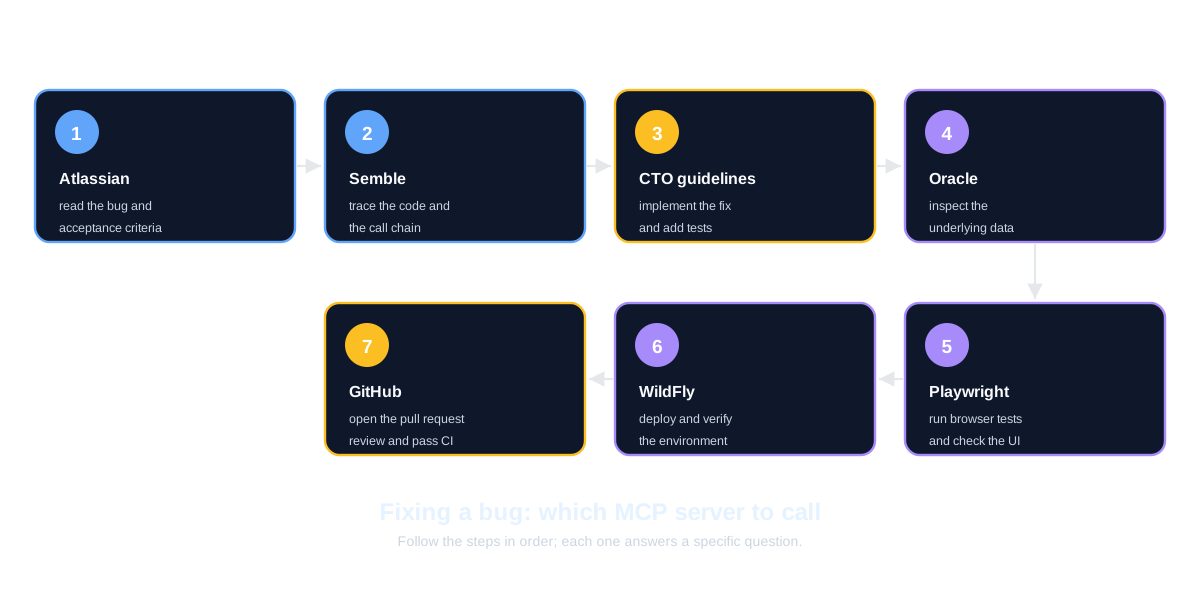
The diagram below shows the flow and the MCP integration used at each step.
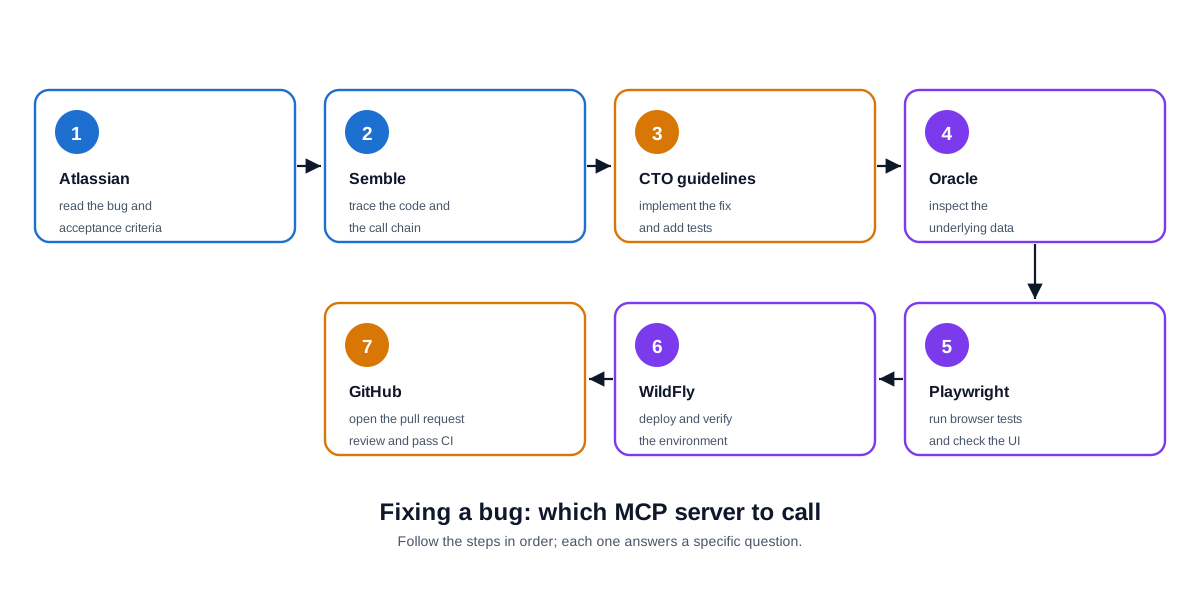
- Atlassian. Read the bug, its reproduction steps, and its acceptance criteria.
- Semble. Trace the relevant code and locate the class named in the stack trace.
- CTO guidelines. Implement the fix and add or update unit tests and documentation.
- Oracle. Inspect the underlying data to compare the symptom with the real records.
- Playwright. Run the browser tests to confirm the fix and check the UI.
- WildFly. Deploy to the appropriate environment and verify the result.
- GitHub. Open the pull request, then follow review, CI checks, and required approvals.
The exact sequence follows the team’s delivery process. WildFly can point to a local, shared test, staging, or production environment, and each target has its own checks and authorization. The MCP integrations support the steps; they do not replace the process.
Use MCP with caution
MCP integrations can read sensitive data and change external systems, so they deserve the same care as any other production tool.
- Least privilege — give each integration only the database permissions, repository access, and environment access it needs, and nothing more.
- Human approval — require explicit approval for consequential actions, such as merging code, modifying data, or deploying to production.
- Sensitive data — avoid exposing production records, secrets, or personal data unnecessarily; use synthetic or sanitized data for examples and testing.
- Verification and auditability — validate tool results, run automated tests, and keep logs of important operations so changes can be traced and reviewed.
Cost is part of the picture too. Each integration can add capabilities and tool descriptions that the client must manage, and depending on the client and model, exposing too many tools can increase context usage, token costs, and the risk of selecting an irrelevant tool. Enable only the integrations needed for the task, and prefer focused tools with clear descriptions and limited permissions. This keeps the workflow easier to understand, control, and troubleshoot.
A future article will explore how to choose and manage MCP servers for different tasks.
Conclusion
The value of MCP is not a single magical tool. It is the connected workflow. Each server exposes a narrow capability, while the assistant composes those capabilities around the engineer’s goal.
MCP makes integrations more standardized; it does not guarantee that the AI’s decisions are correct or that an operation is safe. Permissions, validation, testing, and human review remain essential parts of the engineering workflow.
The goal is to reduce context switching and make it easier to trace a change from the original ticket through implementation and verification.